Docs Playbook
Compute Idle Resources Playbook
Find idle VMs and instances before they burn budget.
Idle compute typically comes from temporary environments, forgotten test fleets, and stale workloads that were never decommissioned.
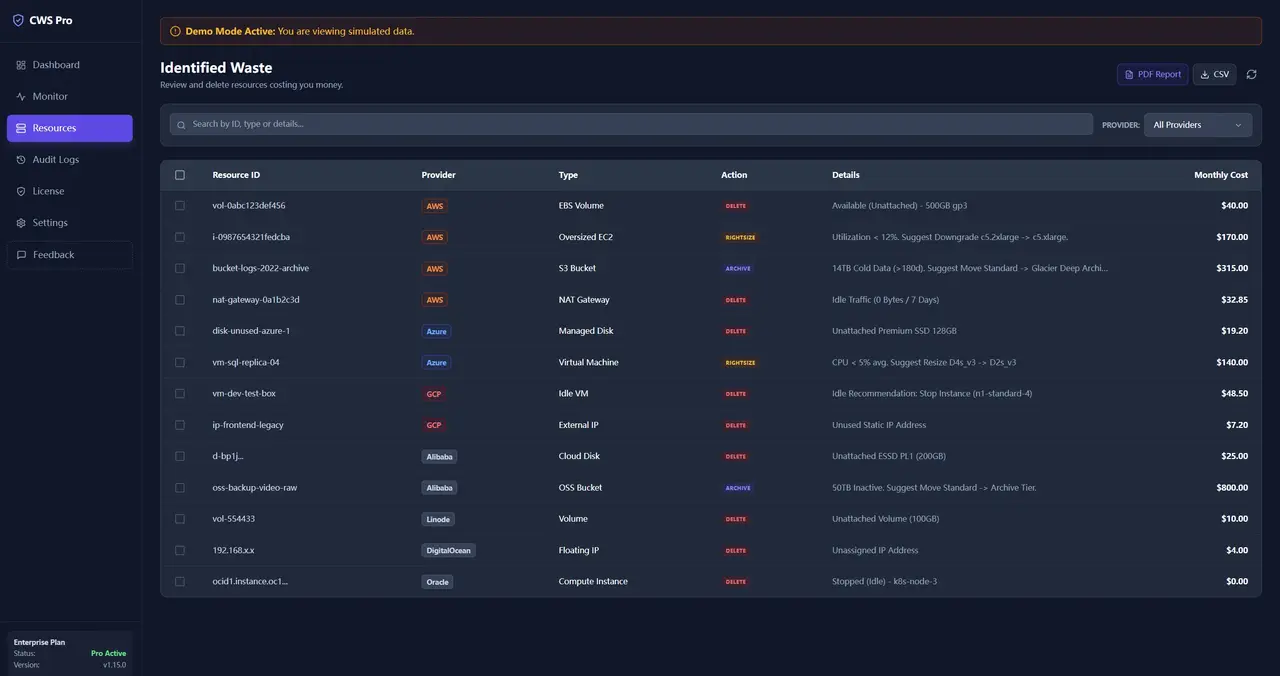
Detection Signals
- Low CPU and network activity over a consistent lookback window.
- No recent deployment or ownership tag update.
- No dependency from active load balancers or autoscaling groups.
Execution Steps
- Scope one account and one environment to validate rules safely.
- Run scan and confirm candidate list with owner/team tags.
- Stop instances first, observe impact, then schedule deletion.
- Export PDF/CSV and track closure in your internal workflow.
Provider Differences
| Provider Group | Operational Notes |
|---|---|
| AWS | EC2 idle instances and detached compute fleets. |
| Azure | Idle VMs with low utilization and low traffic. |
| GCP | Underused Compute Engine instances. |
| Alibaba/Tencent/Huawei | Idle ECS/CVM host patterns. |
Share
Pass the cleanup path to the next reviewer
Send the same remediation steps to engineering, finance, or the owner who needs to sign off.
Next Step
Run a focused scan, validate owners, then export evidence for approval and execution.
Save your first $1,000 before the next billing cycle.